
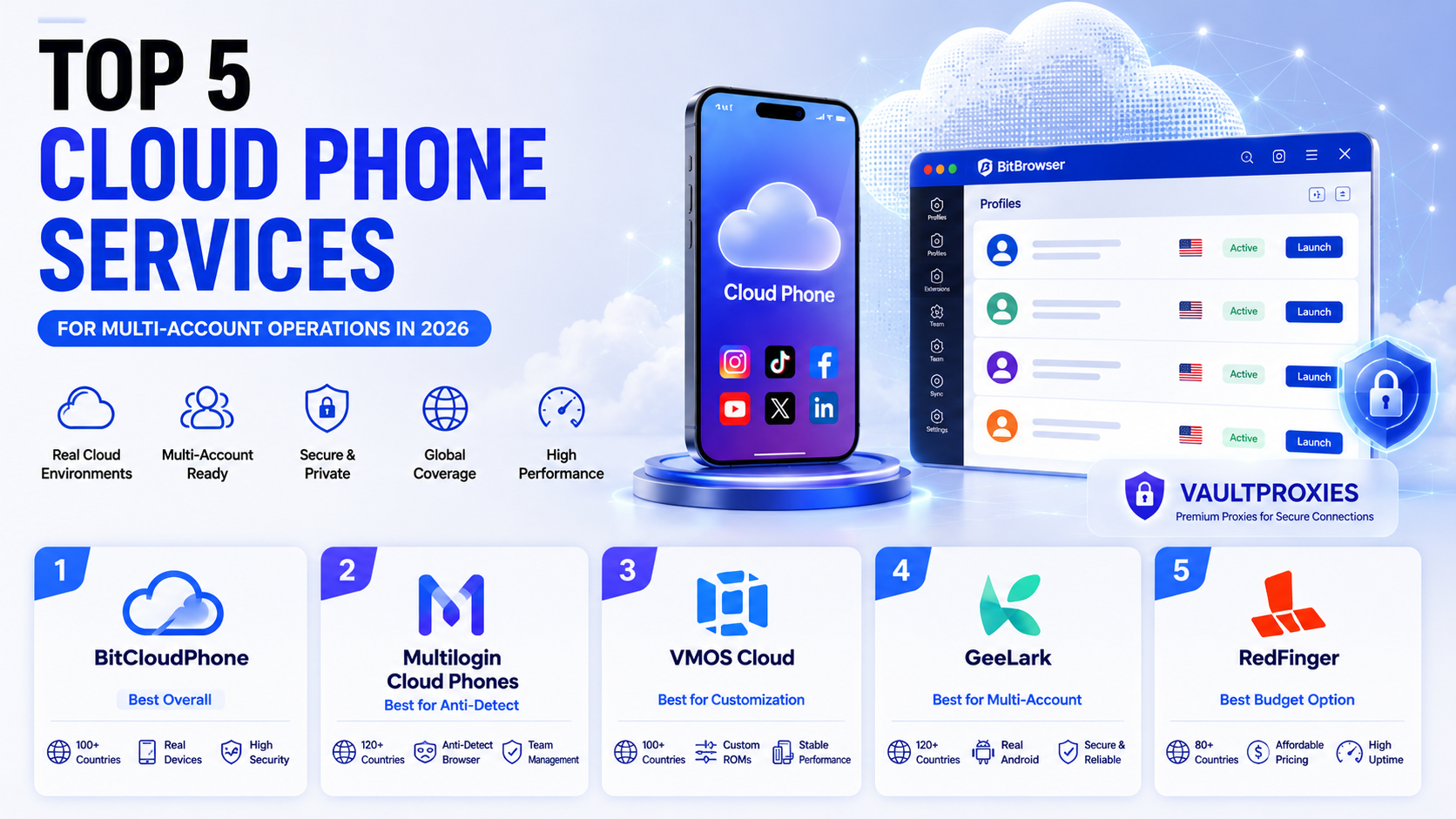
Cloud phones used to be a niche tool for gamers running idle-farm apps. In 2026 they are the default infrastructure for anyone managing more than five TikTok accounts, running mobile-only e-commerce workflows, or testing apps across regions without buying a shelf of physical phones. The reason is simple: platform detection now reads mobile signals differently from desktop signals. Accelerometer data, gyroscope patterns, baseband radio identifiers, and cellular carrier metadata all flow into the risk models Instagram, TikTok, and Facebook run on every session. Desktop emulation of a phone doesn't produce those signals correctly. A real (or real-cluster) mobile environment does.
The list below covers the five cloud phone services ops teams actually run in production this year, ranked by device realism, platform coverage, proxy compatibility, and per-profile cost.
What "Good" Looks Like in 2026
Before the rankings, the scoring criteria:
- Device realism. Emulator on PC hardware, virtualization on ARM server, or a real phone in a cluster. Each gives platforms different fingerprint signatures.
- Platform coverage. Android only, iOS only, or both. Very few providers do both credibly, and iOS is where most operators are underserved.
- Proxy handling. Manual per-profile, built-in pool, or integrated with an external proxy provider. This is the single biggest cause of account bans when done wrong.
- Per-profile economics. Time-based, subscription, or one-time. Matters more than headline pricing once you scale past 20 profiles.
- Workflow fit. Social media, e-commerce, gaming, QA testing, or automation. The best tool for one is often mediocre for another.
1. BitCloudPhone: Best Overall (Android + iOS)
BitCloudPhone earns the top spot because it is the only service on this list that ships both a mature Android product and a genuine iOS product from the same account and the same dashboard. Both integrate with BitBrowser, so browser profiles and phone profiles live side by side in one client.
Android side. Runs Android 12, 14, and 15 (Android 14 is time-plan only). Each phone profile matches its own IMEI, IMSI, MAC address, device brand, and Android build to the assigned proxy IP. Timezone, language, carrier, and GPS auto-align to the IP location, which removes the single most common leak in multi-account workflows: mismatched region signals. The API supports Selenium and Puppeteer, so automation stacks written for browser profiles port over without rewrite.
iOS side (launched July 2026). This is the one to pay attention to. BitCloudPhone-iOS is built on virtualization plus real-device cluster technology. Each instance runs on an actual A-series chip, with authentic device identifiers and full sensor output (accelerometer, gyroscope, magnetometer). Under BitBrowser's client, it appears as a new "iOS" entry in the phone profiles menu. You configure the proxy, install apps, and drive the device from the same interface you already use for Android profiles and browser profiles. For anyone running TikTok, Instagram, or Snapchat accounts where iOS is the higher-trust ecosystem, this closes a gap that most competitors don't even try to serve.
Pricing. Time-based billing starts around $0.03 per 24 hours per profile on the entry tier, with monthly and annual plans for higher-volume operators. There's no per-instance lock-in, so you can burn a profile and spin up a replacement in the same session.
Where it slips. Proxy configuration is per profile and manual (no built-in pool). That's actually fine, and arguably better, if you already run a serious proxy account. Which is the segue to the next point below.
2. Multilogin Cloud Phones: Best Premium Real-Hardware Option
Multilogin runs actual Android phones in data centers rather than emulation on server CPUs. That gives platform detection systems the exact ARM baseband and sensor signals they expect from a real handset. If your top priority is surviving TikTok's or Meta's hardware verification and budget isn't the constraint, this is the top tier for pure device realism.
The catch is price and lock-in. Cloud phone tiers start well north of $99 per month, cookies and profiles live inside the Multilogin ecosystem, and you're paying for hardware realism you may not need if your accounts are already warm and don't get scrutinized at the device level. No iOS option in the same package as of Q3 2026.
3. VMOS Cloud: Best Budget Android
VMOS Cloud emulates Android on ARM servers with automatic matching of SIM, region, operator, language, and timezone to the assigned IP. It offers Android 10 through 16, which is the widest OS spread on the market, and its built-in proxy pool removes the setup friction that scares off newer operators.
Strong pick if you're running e-commerce or bonus-hunting workflows where the volume is high and the account trust bar is moderate. Weaker for TikTok and Instagram in 2026 because the emulation approach shows up in some of the newer device-integrity checks. No iOS option.
4. GeeLark: Best for Social Media Automation
GeeLark is Android cloud phones with heavy focus on social media use cases: pre-built templates for TikTok, Instagram, and Facebook workflows, plus AI-assisted content scheduling and comment moderation from inside the dashboard. If your team spends most of its day inside three social apps and you want batch actions across 30 profiles without external RPA tooling, this is the shortlist.
Not the cheapest option and no iOS. Fingerprint quality is solid but not at Multilogin's real-hardware level.
5. RedFinger: Best for Always-On and Gaming
RedFinger's angle is 24/7 persistence: your cloud phone keeps running whether your local machine is on or not. That makes it the default for idle-game farming, ad-monetization apps, and any workflow that needs a phone screen ticking over for hours a day without operator attention. Popular with mobile gaming communities and repetitive-workflow automation teams.
Fingerprint realism is mid-tier and it's not really built for account creation on strict social platforms. Great at what it does. Wrong tool for TikTok multi-accounting.
Pairing Your Cloud Phone With the Right Proxy
Every cloud phone service on this list will boot to a broken state if the proxy fails. BitCloudPhone's own setup guide is explicit: if the proxy is unreachable, the device won't start. So the proxy layer isn't optional infrastructure. It's the foundation everything else sits on.
Three tiers matter for cloud phone work, and picking the right one per account cluster is what separates operators who scale from ones who churn banned profiles every week:
- Mobile proxies for the highest-trust targets. Real 4G/5G carrier IPs behind CGNAT are the hardest tier for platforms to flag. VaultProxies' mobile pool starts at $2.50/GB with country-level targeting, and its 25M+ IP footprint is one of the deepest on the market for that price point. Pair these with your iOS profiles on BitCloudPhone for social platforms with aggressive hardware verification.
- Residential proxies for the daily driver. Real device IPs across 195+ countries, with city and ASN targeting for geo-specific workflows. VaultProxies residential at $1/GB with 32M+ IPs handles the bulk of Instagram, TikTok, and e-commerce cloud phone traffic without breaking budget.
- ISP proxies for account persistence. Static IPs with datacenter speed and residential trust, sub-50ms latency, ideal when you need the same profile to hold the same IP for days or weeks. VaultProxies ISP at $0.75/GB, with region choice at checkout.
The rule of thumb: match proxy trust level to platform detection aggression. TikTok, Instagram, and Facebook accounts on iOS BitCloudPhone profiles want mobile IPs. E-commerce inventory checks and multi-storefront ops can live on residential. Long-lived accounts that shouldn't rotate at all belong on ISP.
One config detail worth naming: BitCloudPhone's profile setup includes a "Check Proxy" test button. Run it every time. A profile that boots on a dead proxy will burn its trust score before you notice.
Quick Comparison
| Service | Android | iOS | Device Type | Starting Price | Best For |
|---|---|---|---|---|---|
| BitCloudPhone | Yes (10–15) | Yes (real cluster) | Real chip / cluster | ~$0.03 / 24h | Overall, Android + iOS ops |
| Multilogin Cloud Phones | Yes | No | Real hardware | $99+/mo | Premium anti-detect |
| VMOS Cloud | Yes (10–16) | No | ARM emulation | Low | Budget Android volume |
| GeeLark | Yes | No | Emulation | Mid | Social media automation |
| RedFinger | Yes | No | Cloud Android | Low | 24/7 idle / gaming |
FAQ
Do I really need cloud phones, or will BitBrowser (desktop) alone work?
Depends on the platform. For LinkedIn, X, and most e-commerce dashboards, BitBrowser desktop profiles are enough. For TikTok, Instagram Reels, and Snapchat in 2026, mobile-native environments produce measurably higher reach and lower flag rates because those platforms weight mobile-origin sessions differently. If more than 40 percent of your accounts are on those three platforms, cloud phones start paying for themselves quickly.
Why does BitCloudPhone iOS matter specifically?
Because iOS is the higher-trust ecosystem on TikTok, Instagram, and Snapchat, and until mid-2026 there was no affordable way to run isolated iOS environments at scale. Physical iPhone farms cost thousands per shelf. BitCloudPhone-iOS gives you an actual A-series chip and real device identifiers per profile, managed from a desktop client, at cloud-phone economics rather than hardware economics.
Can one machine run 20 cloud phone profiles at once?
Yes, though your bottleneck becomes network throughput rather than CPU. A mid-range laptop with 16 GB RAM and a stable 100 Mbps connection can drive 15 to 20 concurrent BitCloudPhone sessions comfortably. Past that you want a dedicated ops box or a VPS with the cloud phone client installed.
What's the total monthly cost for a 20-profile cloud phone operation?
Rough math: $30 to $60 for BitCloudPhone at the time-based tier across 20 profiles, plus proxy spend. Assuming a mix of residential and mobile from VaultProxies, budget $100 to $250 for proxy traffic depending on how heavily each account posts. All in, a 20-account cloud phone operation runs $150 to $350 per month before the operator's time.
Should I run one big proxy account or one per cloud phone?
One account, multiple credentials. All the providers above (and VaultProxies) let you issue separate proxy credentials per profile from a single wallet, so you get consolidated billing without sharing IPs across profiles. Sharing IPs is what gets accounts linked. Sharing a billing account is fine.
The cloud phone stack in 2026 isn't complicated. Pick a service that matches your device-realism needs (BitCloudPhone covers both Android and iOS in one client, which is why it's at the top of this list), pair each profile with the right proxy tier from a provider that publishes real sourcing (VaultProxies documents its network at /ethics), and treat proxy health as a first-class part of profile setup. Do those three things and the actual work of running dozens of accounts becomes a matter of content and scheduling, not firefighting bans.